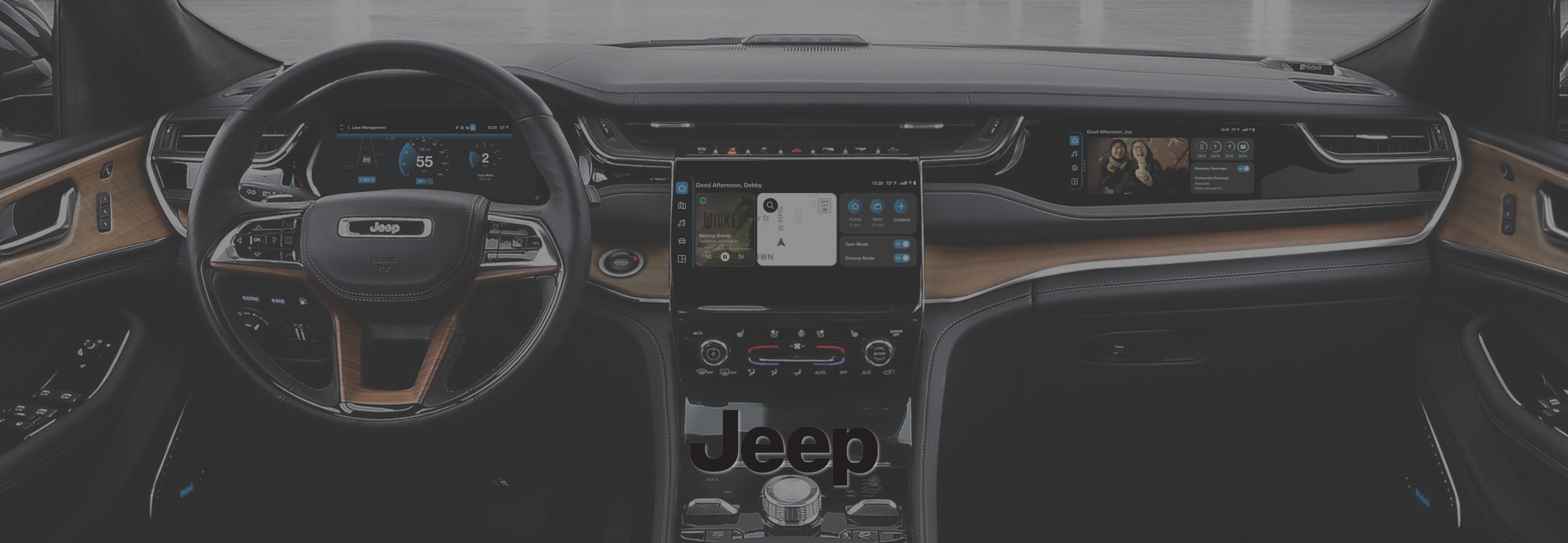
Stellantis Jeep UI Screen Design
The Future of Automotive Experience
2030 Jeep Grand Cherokee AI-Enhanced In-Vehicle Infotainment (IVI) Concept Development for Safety and Convenience - User Interface Design Project
Client + Project Members
Client: Stellantis Course: UMSI 311 Automotive UX UX Designers: Joy Huang and Debby Chung
My Role
- Key User Researcher in Ideation and Usability Testing - Researched emerging trends and competitive analysis field research - Refined UI and Design System - Designed 100% of cluster display prototype
Impact
- 75% Reduction in Task Time: Achieved through AI-driven safety alerts, personalization, and optimized information architecture. - 100% Process Optimization: Cut the number of clicks required in half for key user flows. - Stellantis Integration: Delivered final designs to Stellantis for future concept implementation.
Date
Oct.-Dec. 2025 | 10 weeks
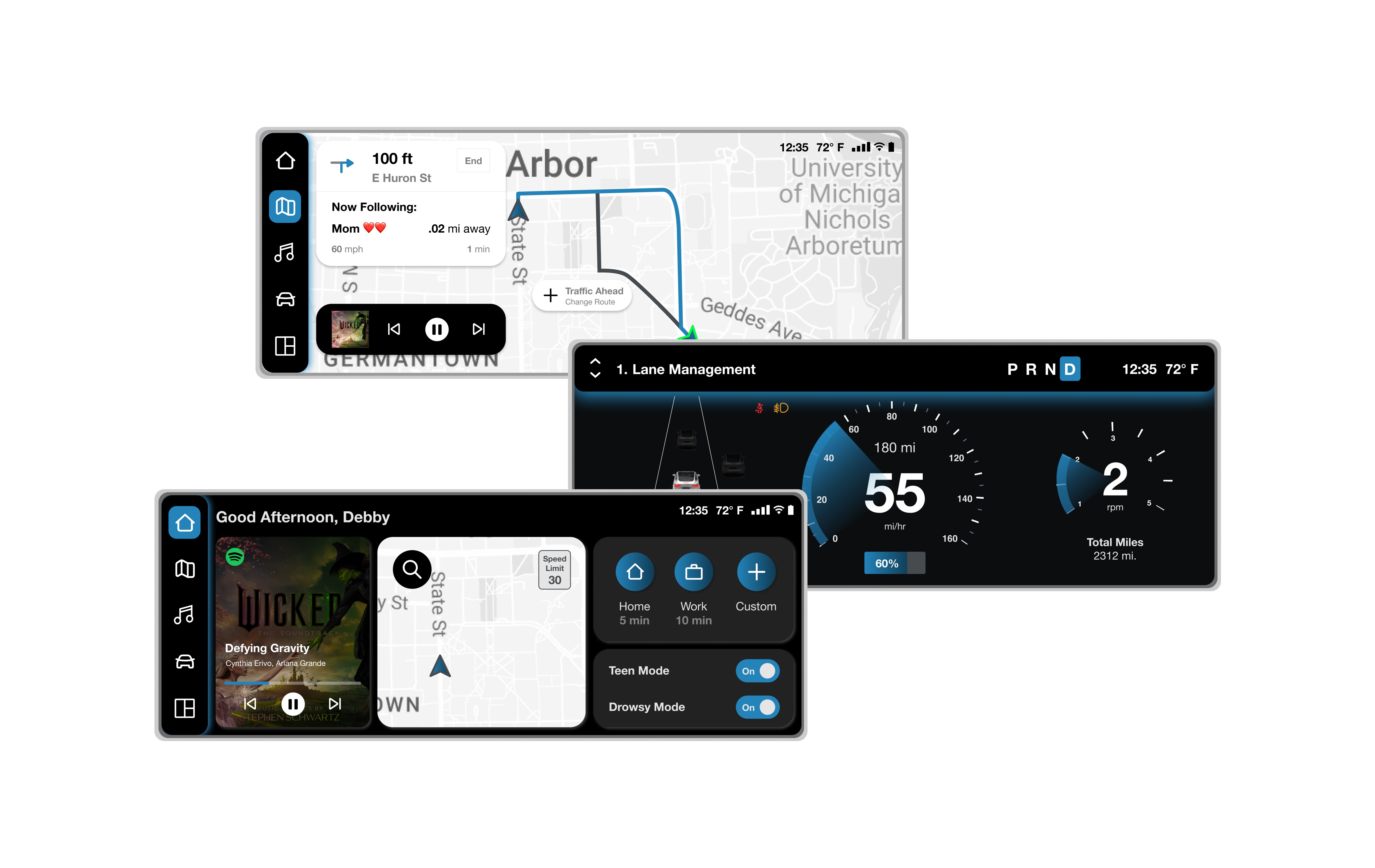
The primary objective was to create an improved system for maximum convenience and safety of Stellantis users, implementing AI features. With our design offering functionalities such as safety alerts, personalized dashboards, and real-time traffic data systems, this redesign of Jeep's infotainment system seamlessly integrates user control and security with automation for convenience.
Problem Focus
Stellantis came into our class, presenting us with a set of problems to solve, giving us a choice on what prompt to choose, ranging from AI-improved safety, efficient engine usage, and predictive maintenance. My partner and I decided to choose the first prompt:
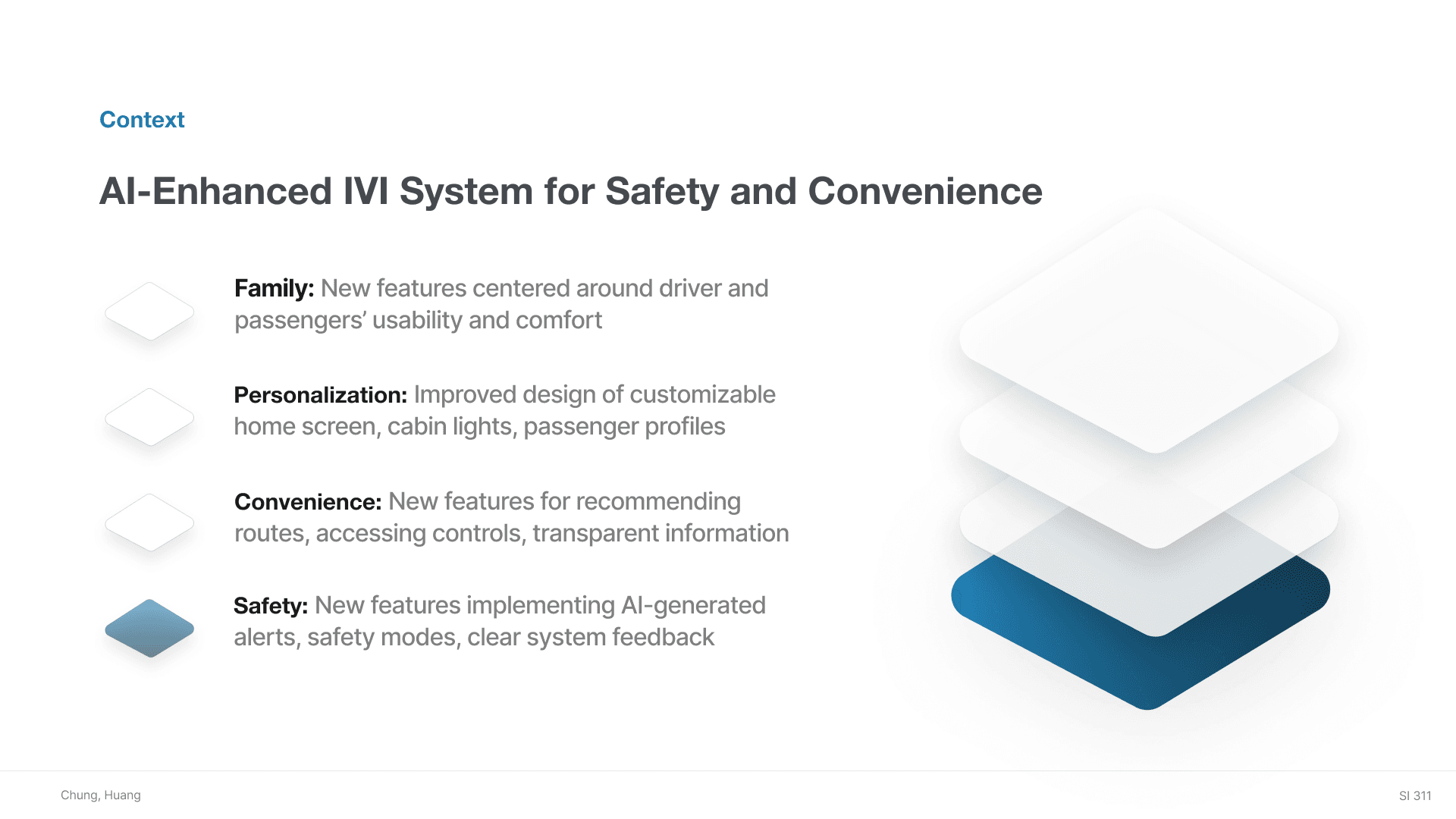
AI-Enhanced IVI System for Safety and ConvenienceDesign an advanced IVI (In-Vehicle Infotainment) system integrating AI to optimize safety and convenience. The system should include:
Seamless voice and gesture controls
Predictive navigation based on real-time traffic and hazard alerts
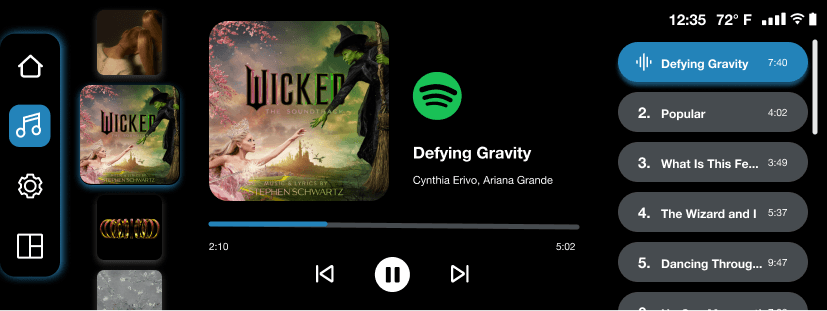
Personalized entertainment options
Your design should prioritize safety while enhancing the driving experience. Consider how AI can provide intuitive, anticipatory interactions for the user.
Deciding to focus on the Jeep Grand Cherokee Model out of Stellantis' brands, my partner and I researched the existing features and priorities for Jeep. Jeep prides themselves in being a family-oriented vehicle, emphasizing their awards and providing comfort and safety features, giving us a target audience focus on our design.
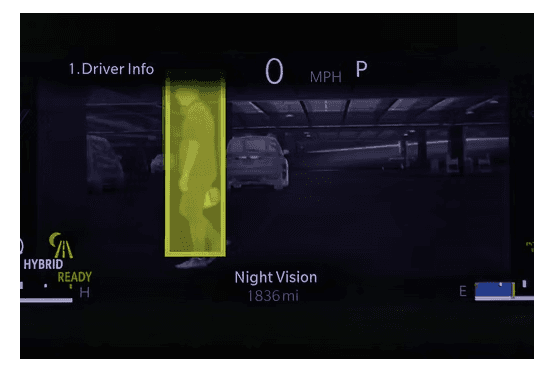
We also wanted to focus heavily on their existing night mode and safety alert features, as well as implement gestures and customizable routes and driving modes. Through basing our designs off existing features, we were able to add onto them with newer concepts that utilized AI.
Problem Statement
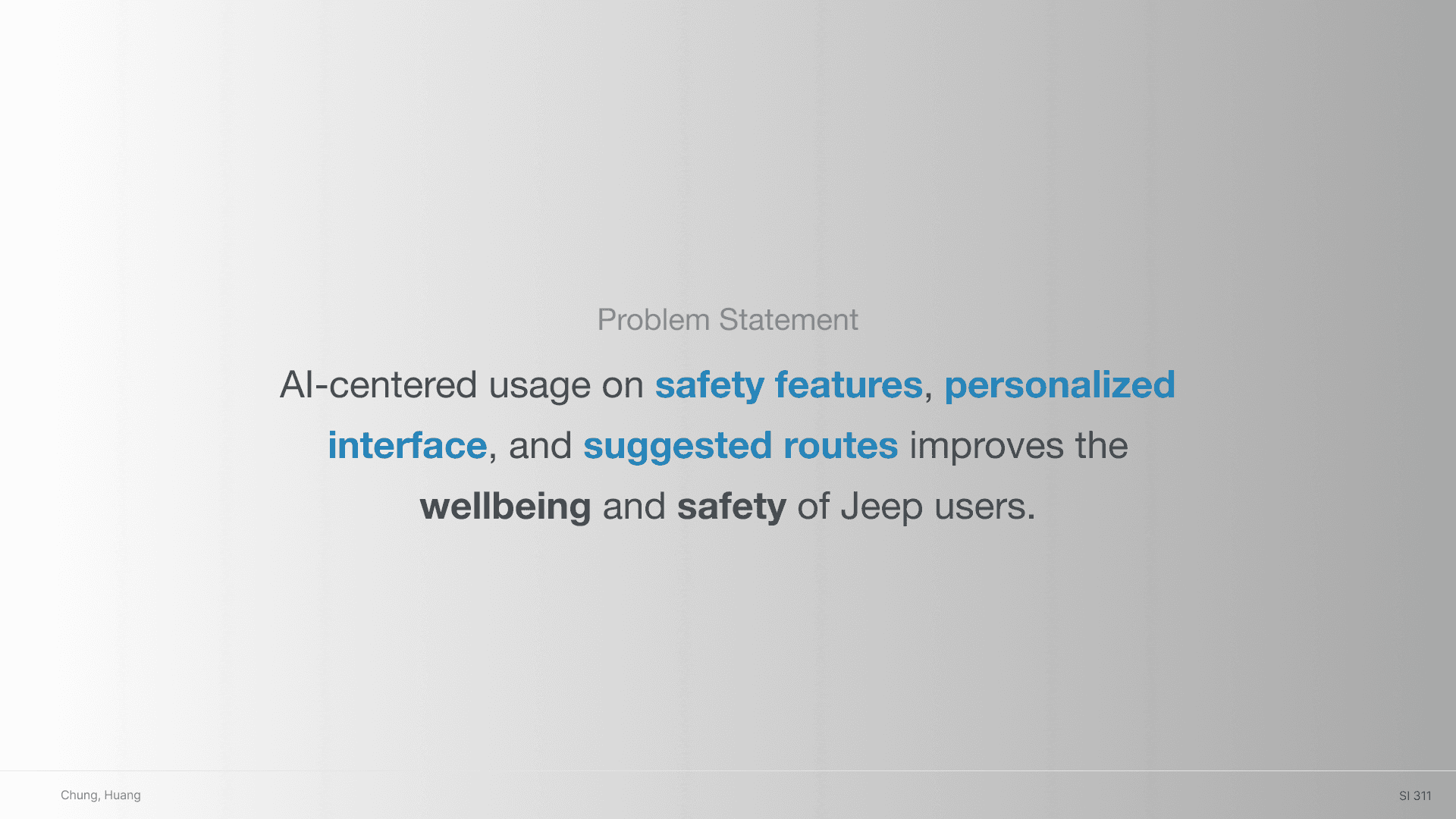
AI-centered usage on safety features, personalized interface, and suggested routes improves the wellbeing and safety of Jeep users.

Research + Brainstorming
With research on usability heuristics in mind, we focused on Flexibility and Efficiency of use (shortcuts), Error Prevention (good error messages), Recognition rather than Recall, and Visibility of System Status.
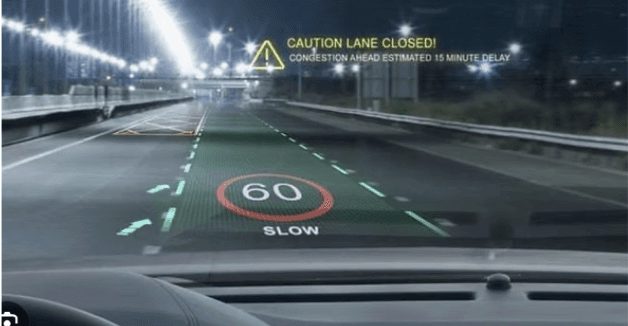
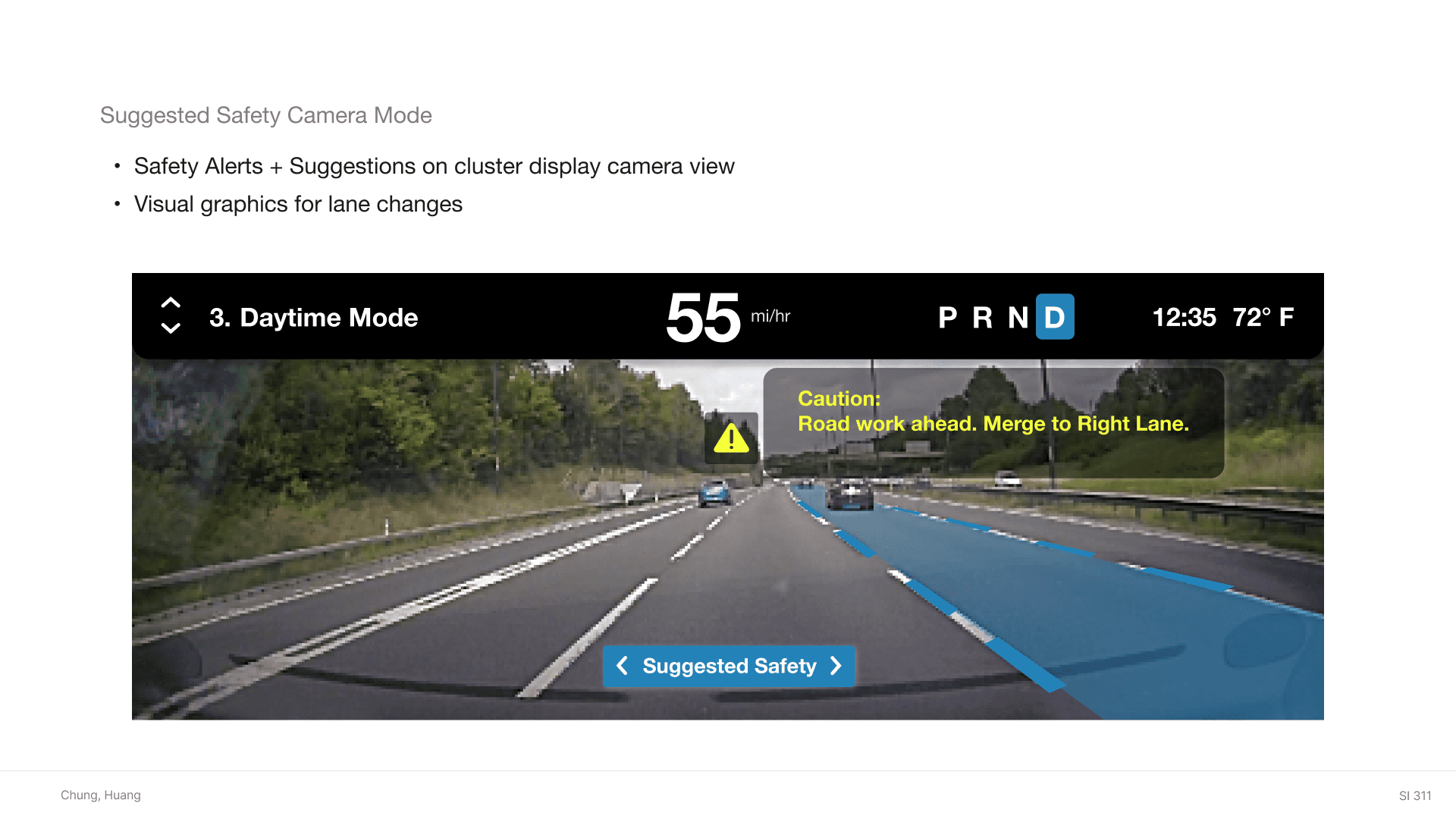
We wanted to implement AI and realtime data driven features especially for safety features to aid users in a visual way. For our safety alert feature, we wanted a graphic guide of a suggested path in response to real-time traffic data.
We also went through multiple brainstorm sessions to figure out the best way to implement gesture controls, coming up with ideas like double tapping the steering wheel and waving hand over a motion censor.
Inspiration from other vehicle features:
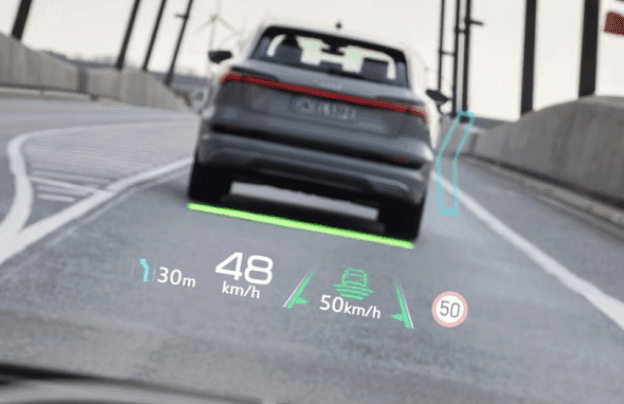
Design Iterations
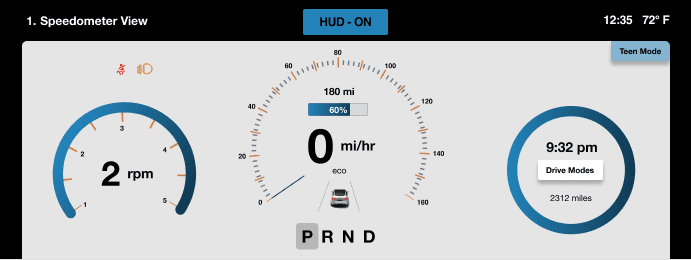
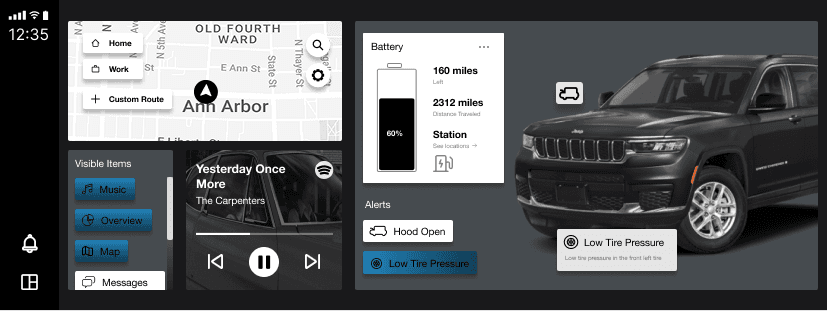
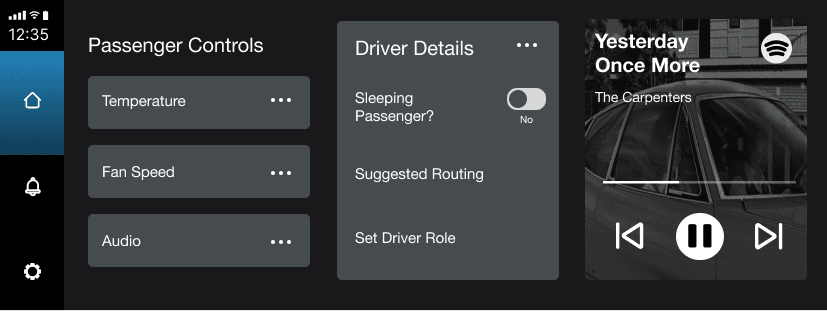
Cluster Display Center Display Passenger Display
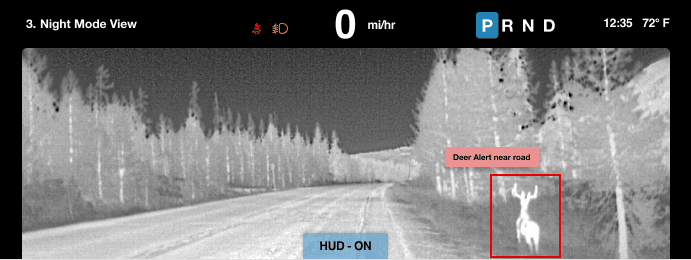
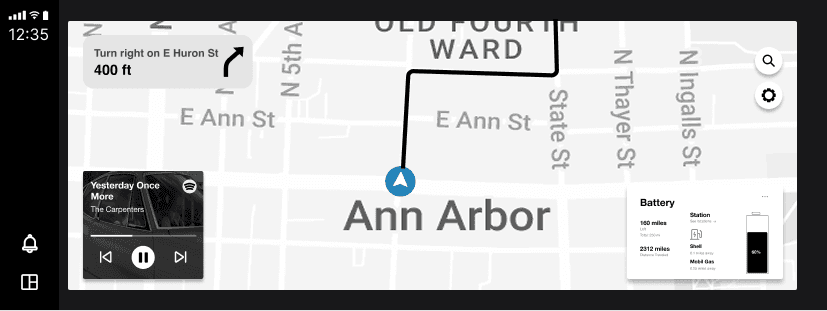
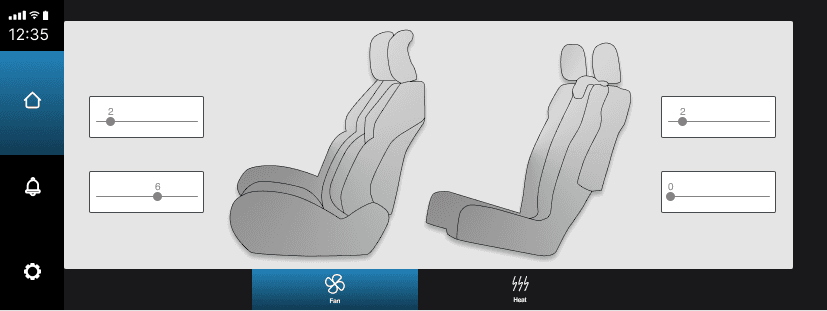
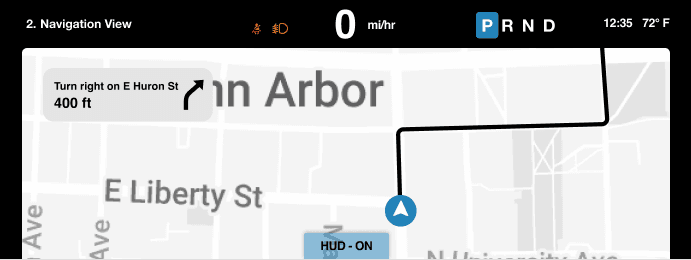
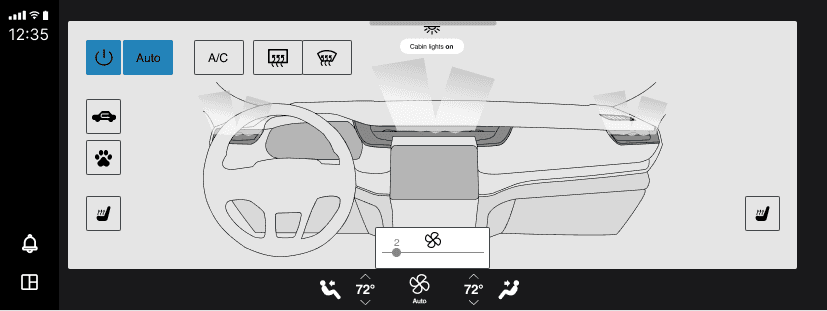
Usability Testing
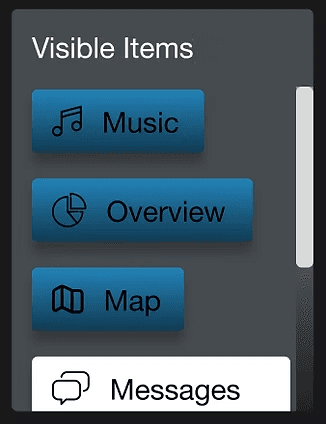
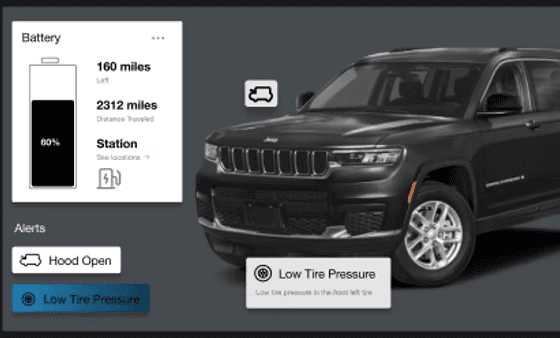
Usability test prompts were given to peer classmates to test out if features are intuitive; participator verbalizes their actions and thought process out loud to explain.
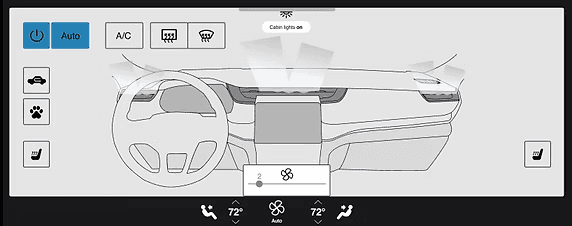
Task 1 -"On center display, select different features/sections visible on the menu display." | Task 2 -"You notice a hood issue on your car. How would you find more info about the problem?" | Task 3 -"Check if your interior car lights are on, if not turn them on.
Follow-up Question: Would you rather see HVAC controls as actual card on home screen or just tab on bottom?" |
|---|---|---|
 |  |  |
|
|
|
Problems?
After getting feedback form the Stellantis team, teaching team, and classmates, a few problems were pinpointed:
inconsistent design choices -> we needed a design system library
lack of implementing AI effectively -> how do we add new features?
inconsistent user flow -> some pages were not intuitively connected for user actions
Style Guide + Wireframe Structure
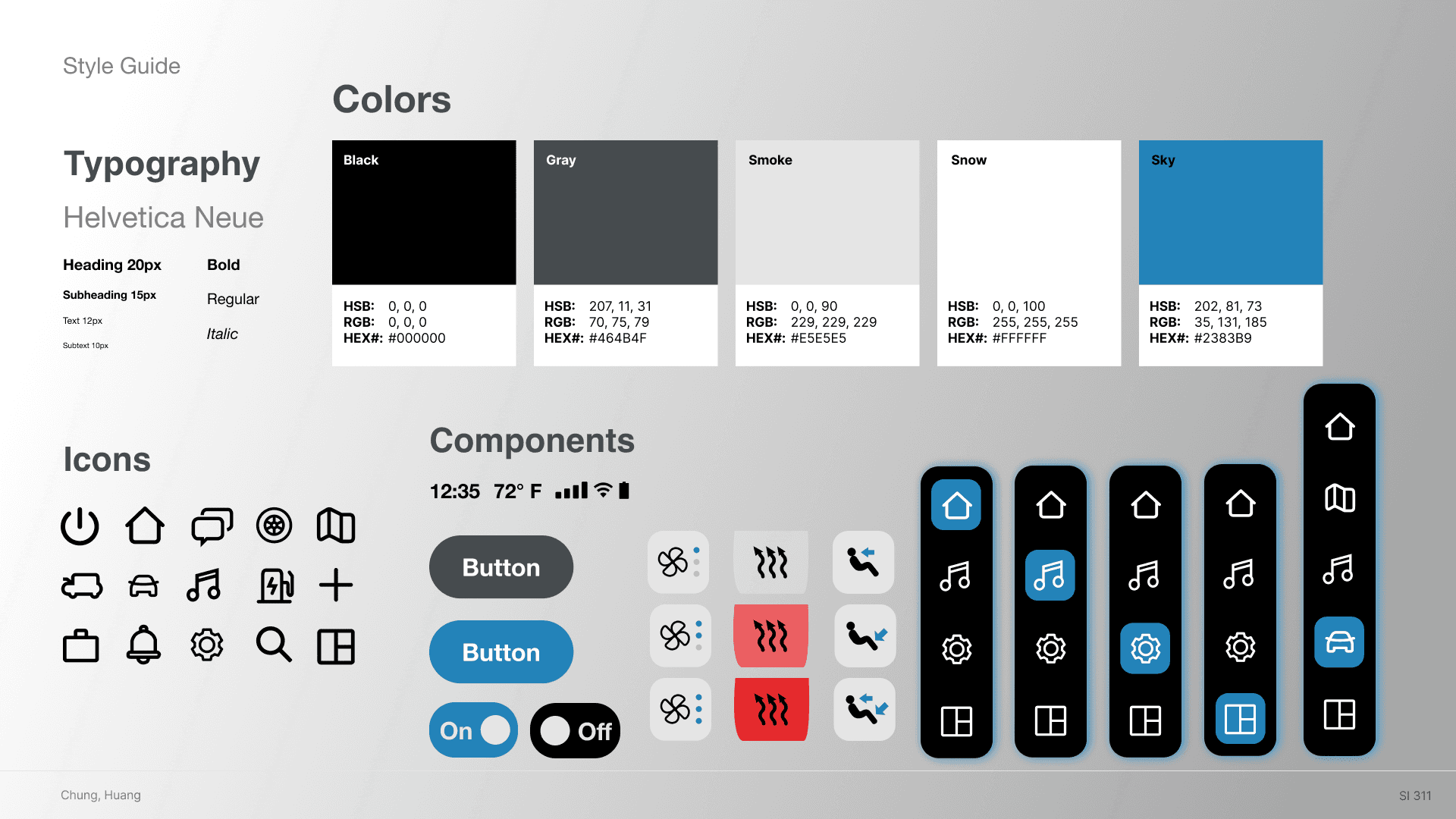
For consistency, we created a style guide based off our branding of reliable, family-friendly, and comfort focused.
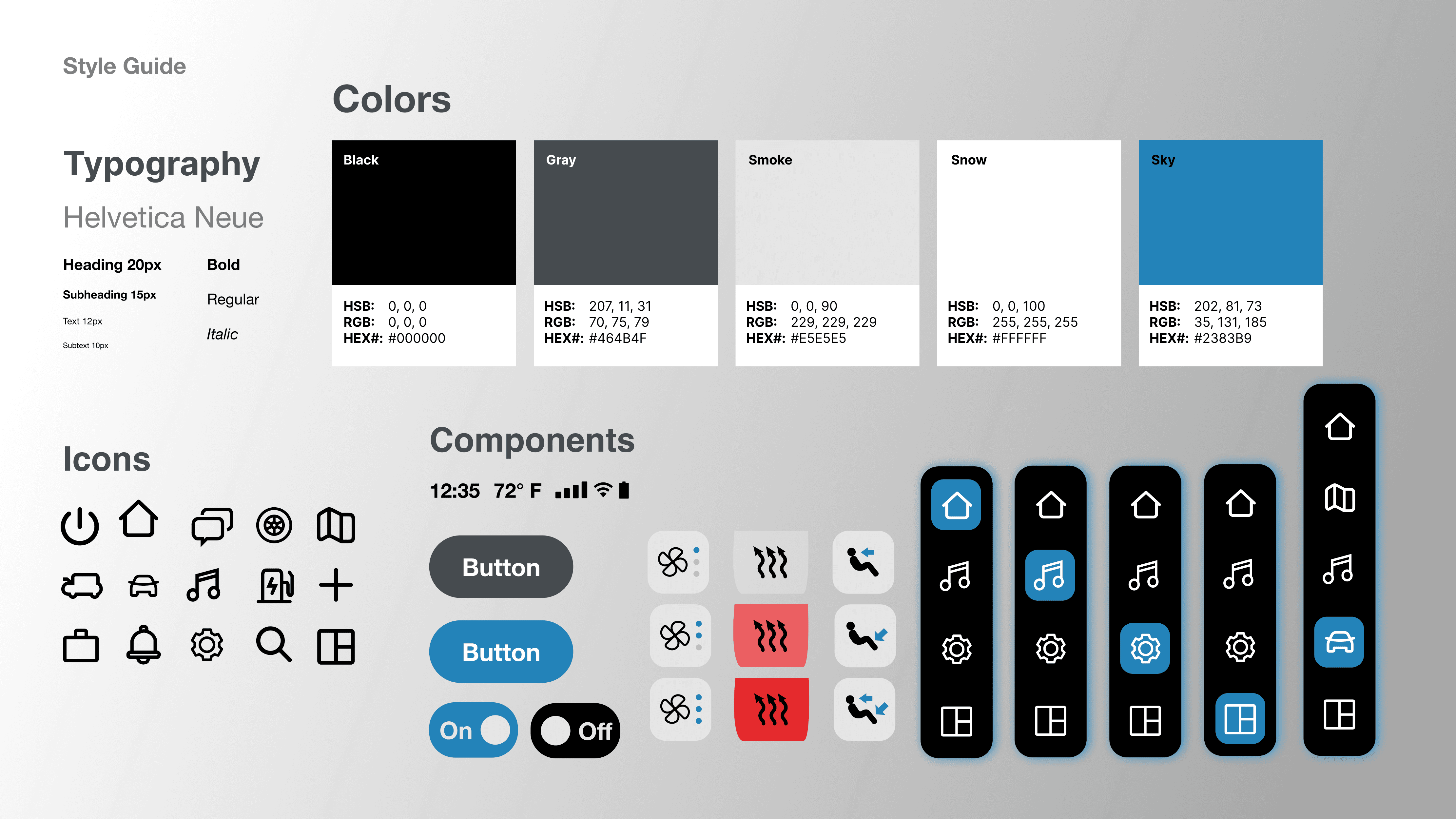
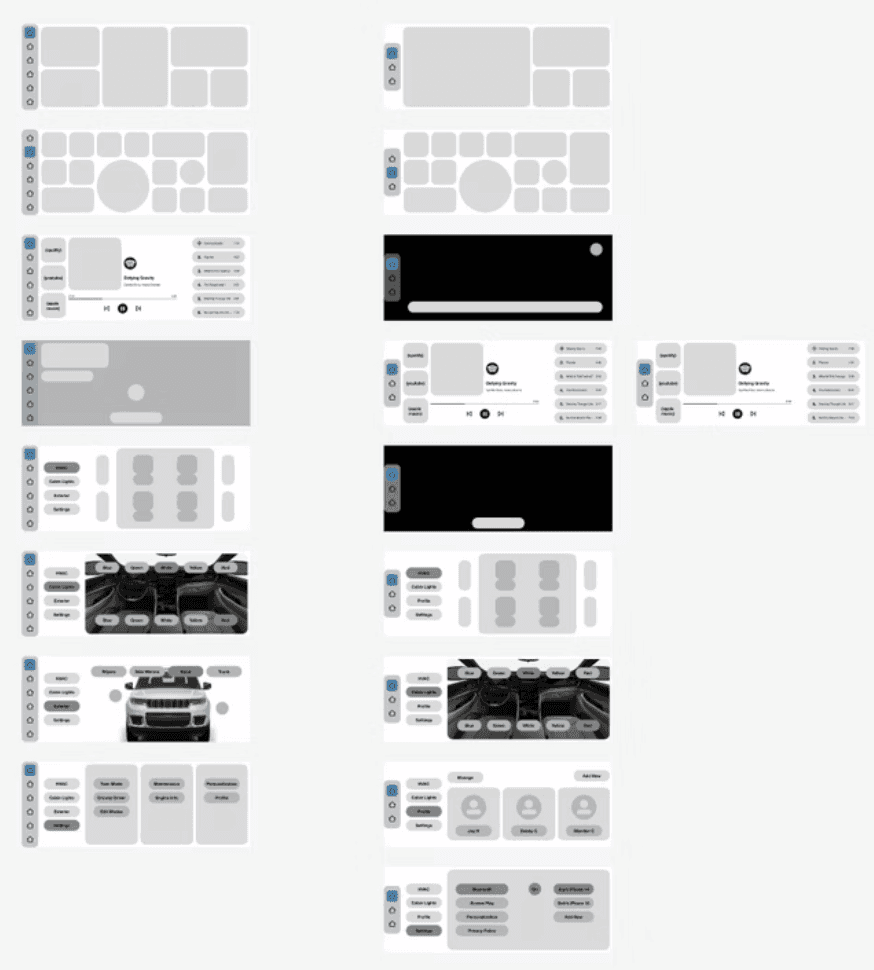
We ensured a consistent design structure across all screens using ratioed dimensions and similar navigation bars for each card.
This made the final prototype design much easier to implement, focusing our efforts on the UI after figuring out the user flow and information architecture.
Final Prototype Designs
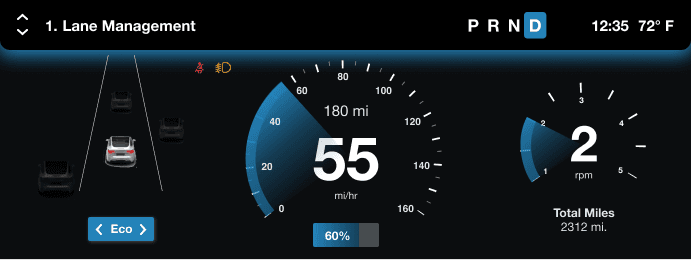
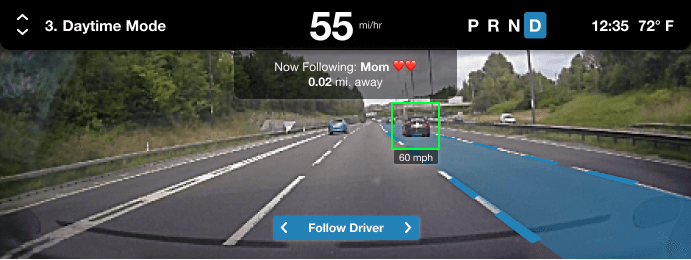
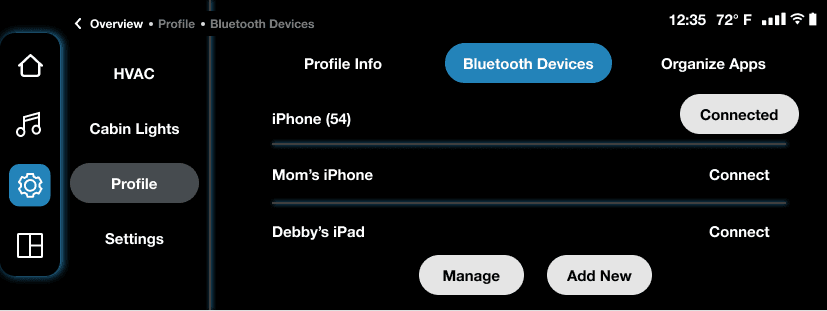
Cluster Display
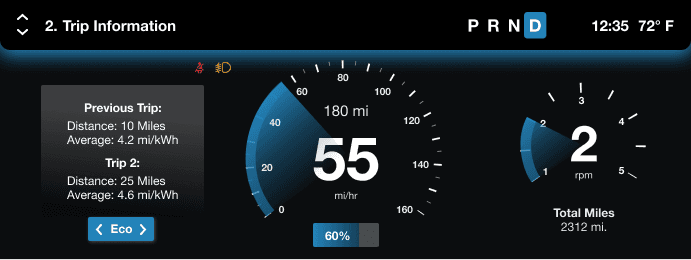
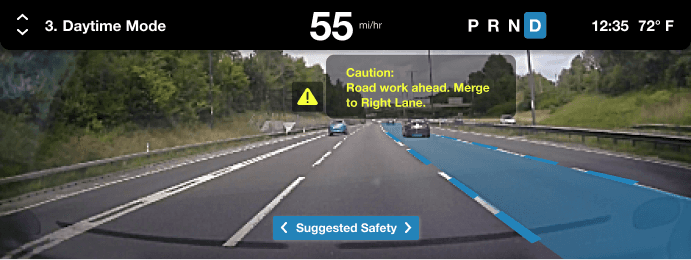
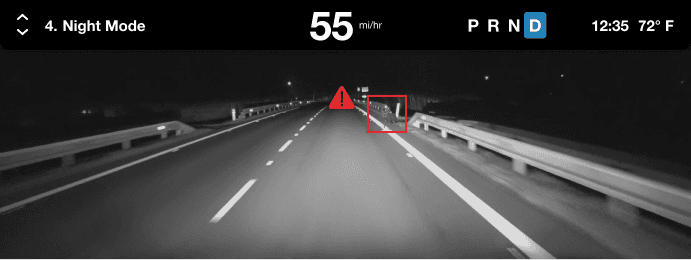
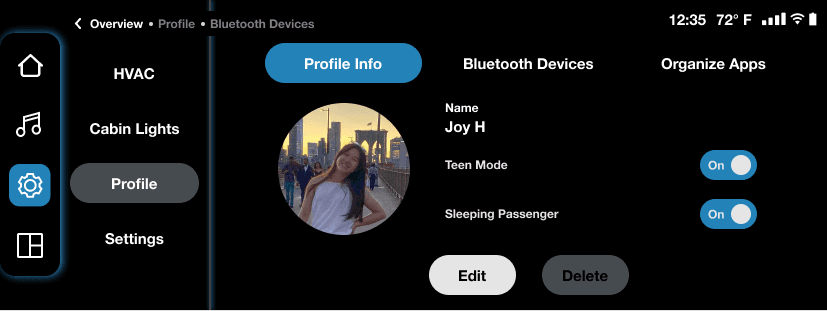
Center Display
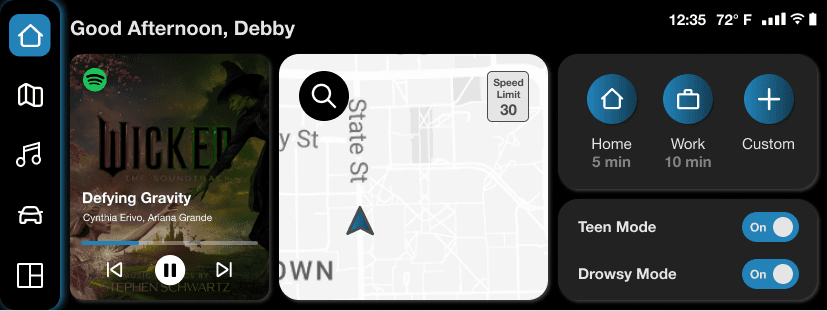
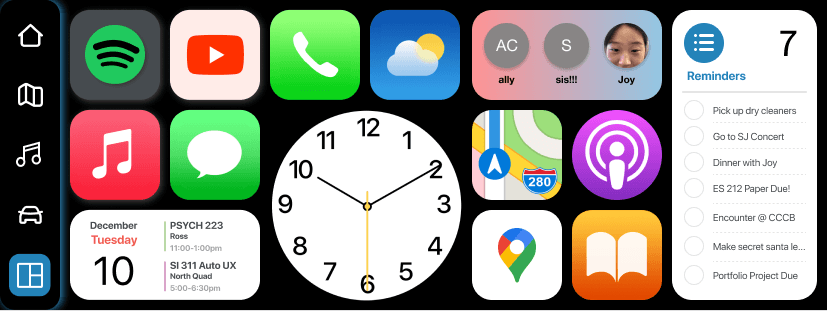
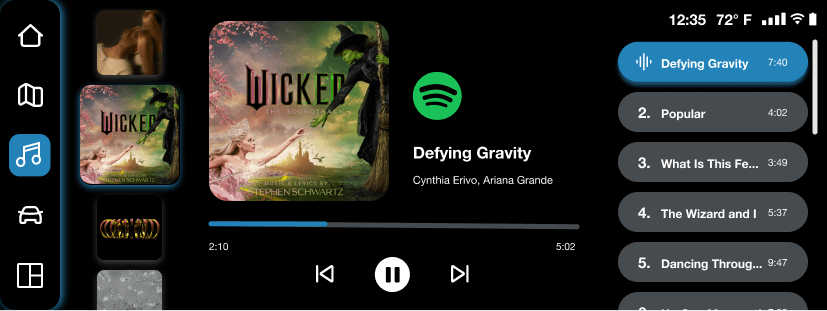
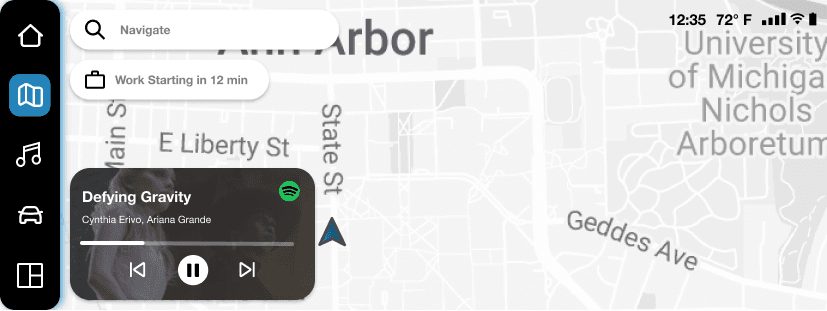
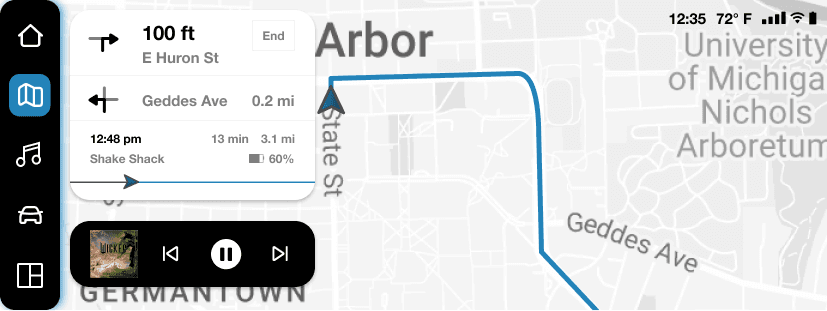
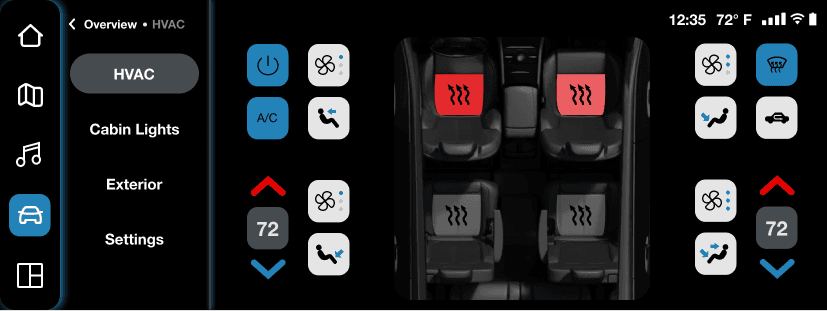
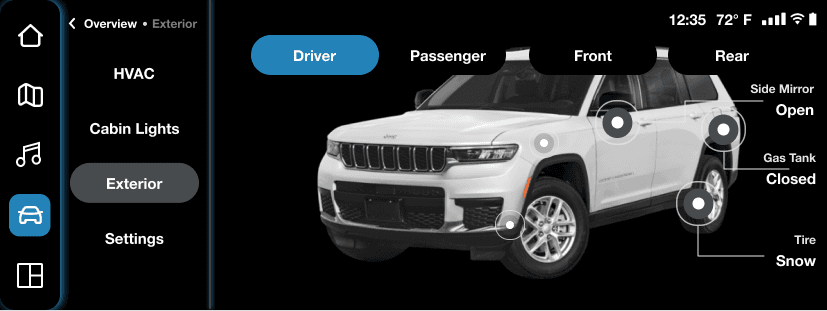
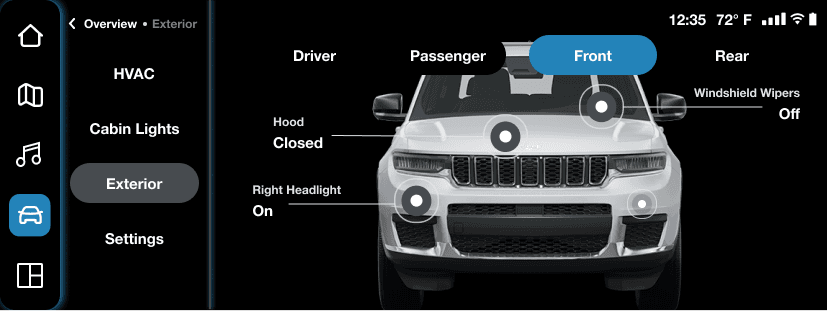
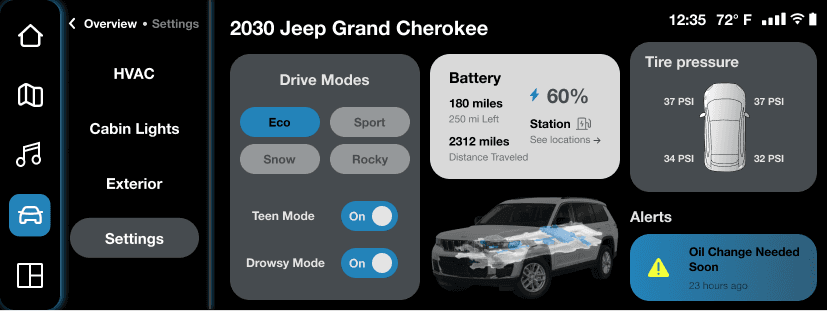
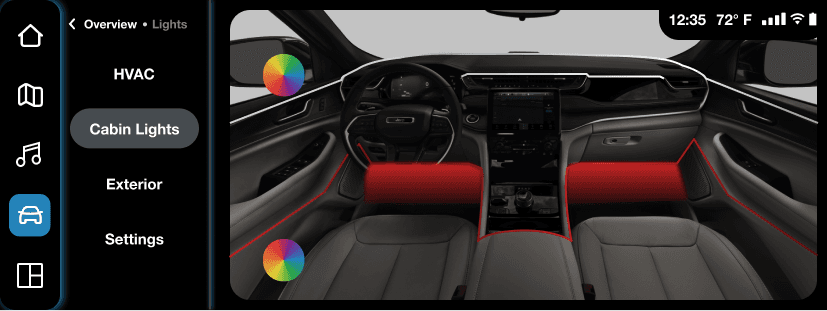
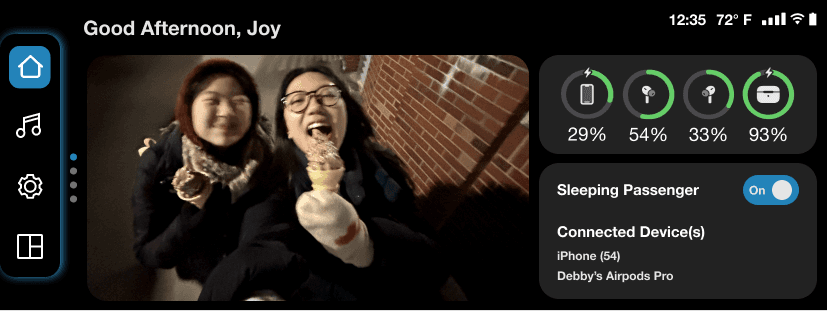
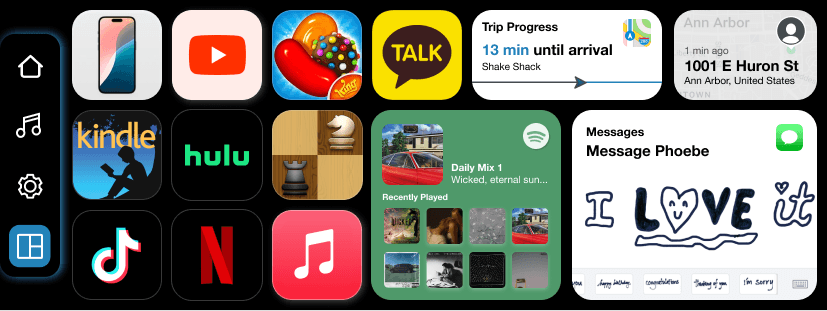
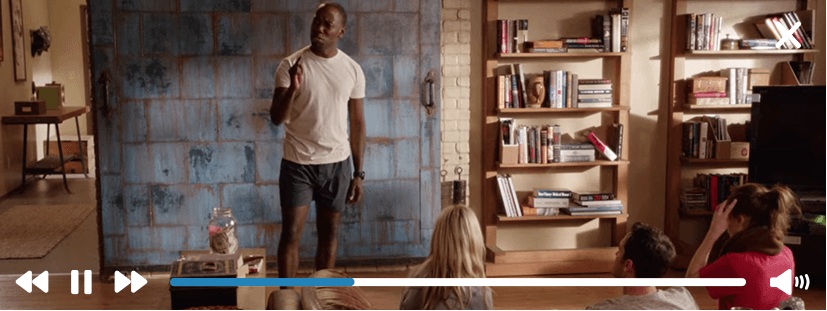
Passenger Display
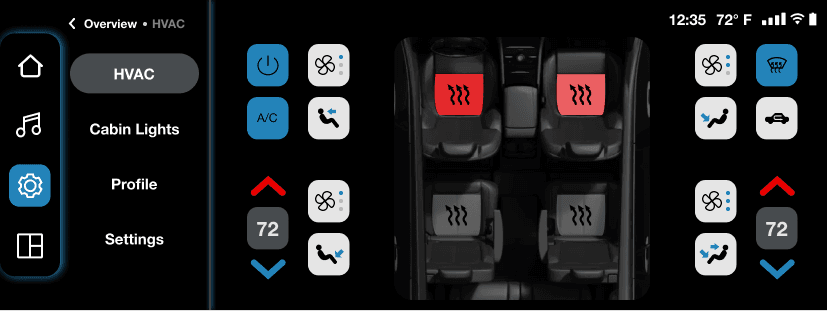
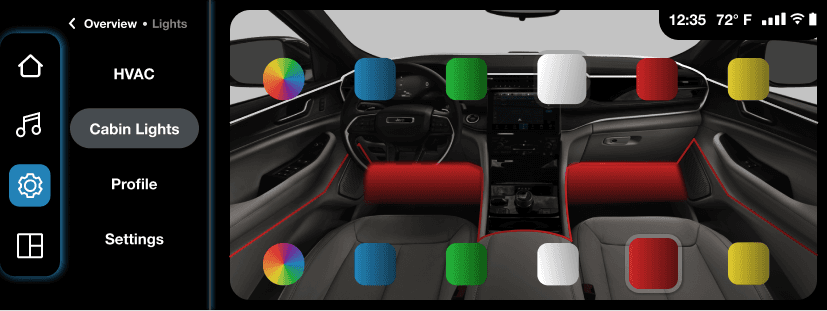
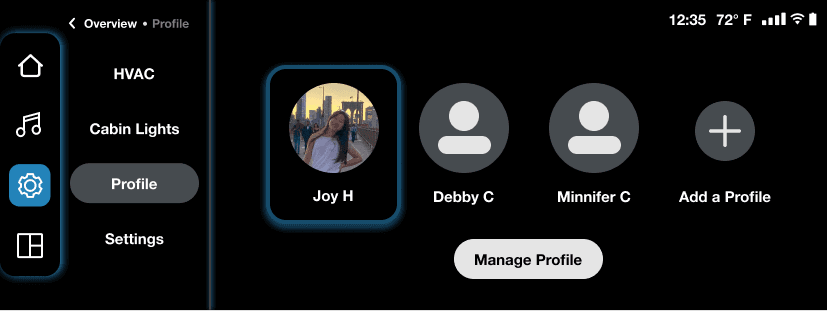
Client Presentation

Key Design Decisions
Suggested Safety Alert Feature
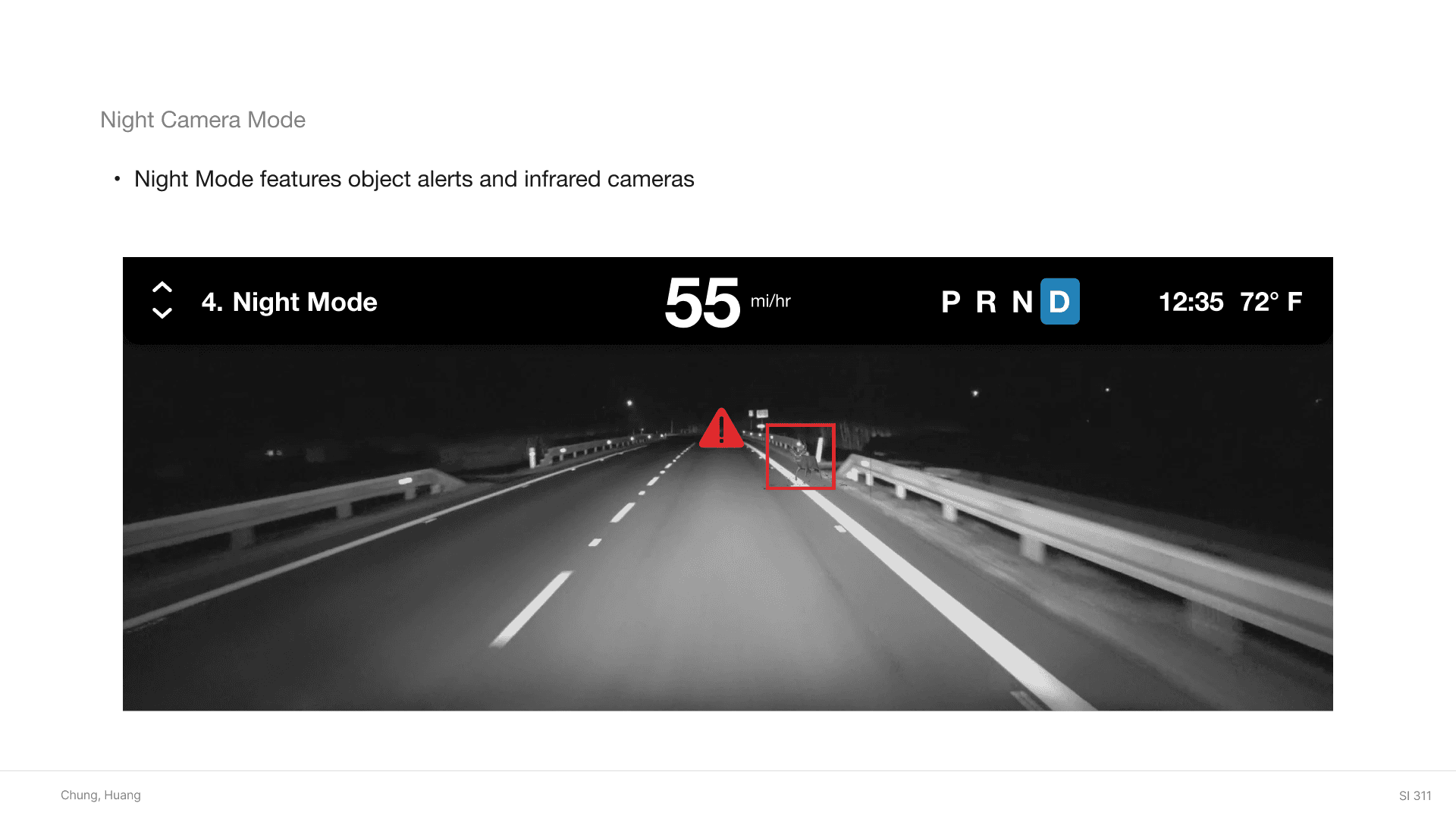
To implement AI, we added a safety feature where the system recommends with visual aids a suggested route to take based off real-time traffic data. Additionally, the system would use infrared cameras to detect motion in night mode.
A future possible step would be to research more of the impact infrared usage could have with recommended features (inspired by Jason Monroe from the Stellantis team.)
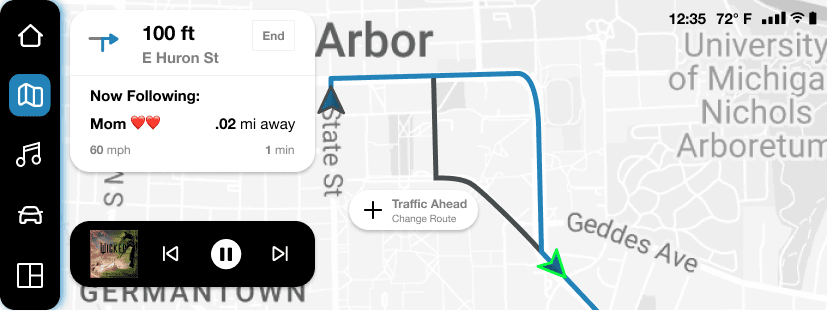
Follow Driver Connect Feature
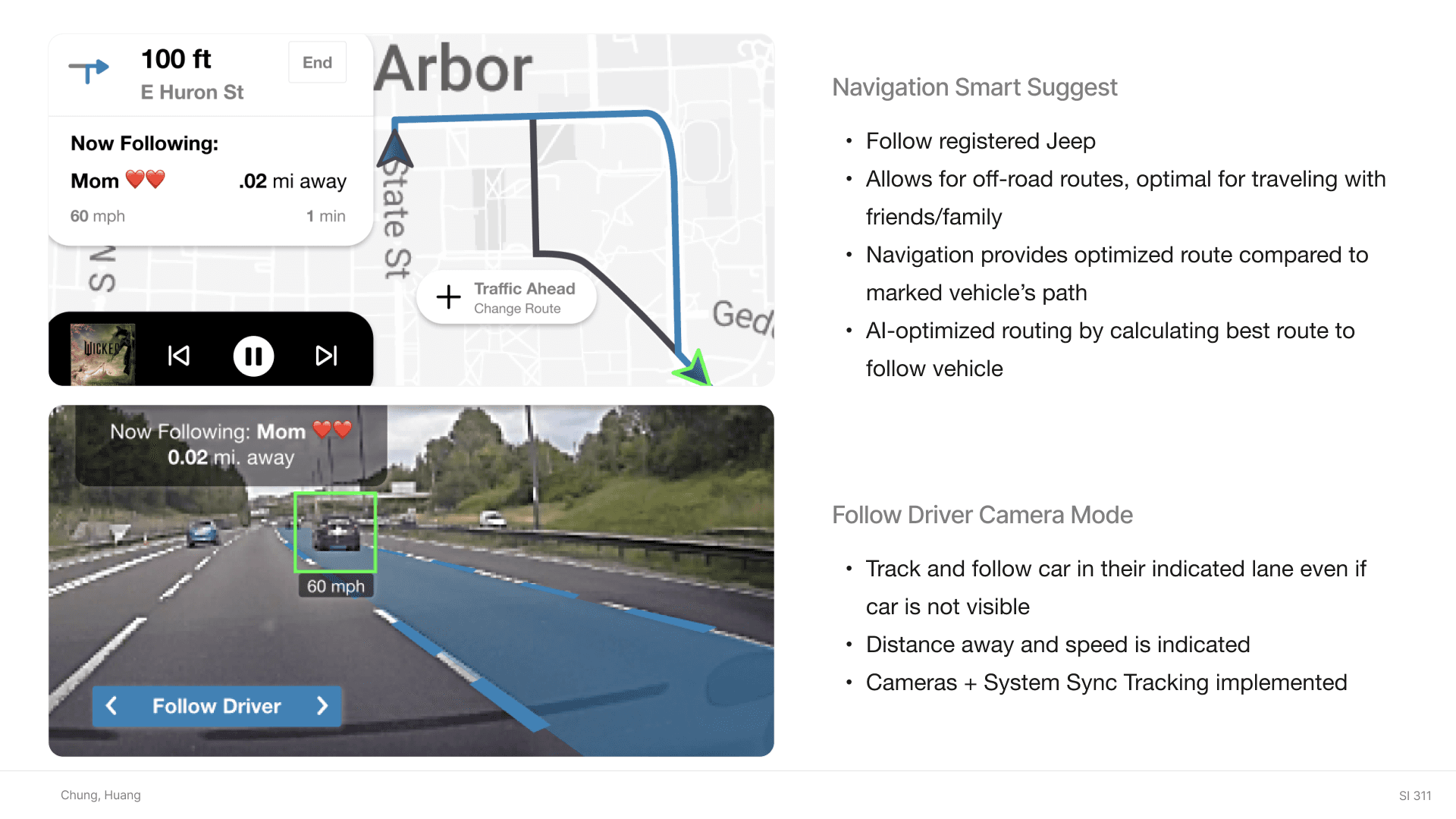
To continue Stellantis Jeep's goal for a more connected network with their users to improve their branding, we added a 'follow driver' feature. A suggested route would be given to follow a connected Jeep vehicle, using AI to improve the best route to follow the vehicle.
This implementation would be especially for off-road activities, pushing Jeep's branding for an exploration vehicle.
Personalized UI - Driving Modes
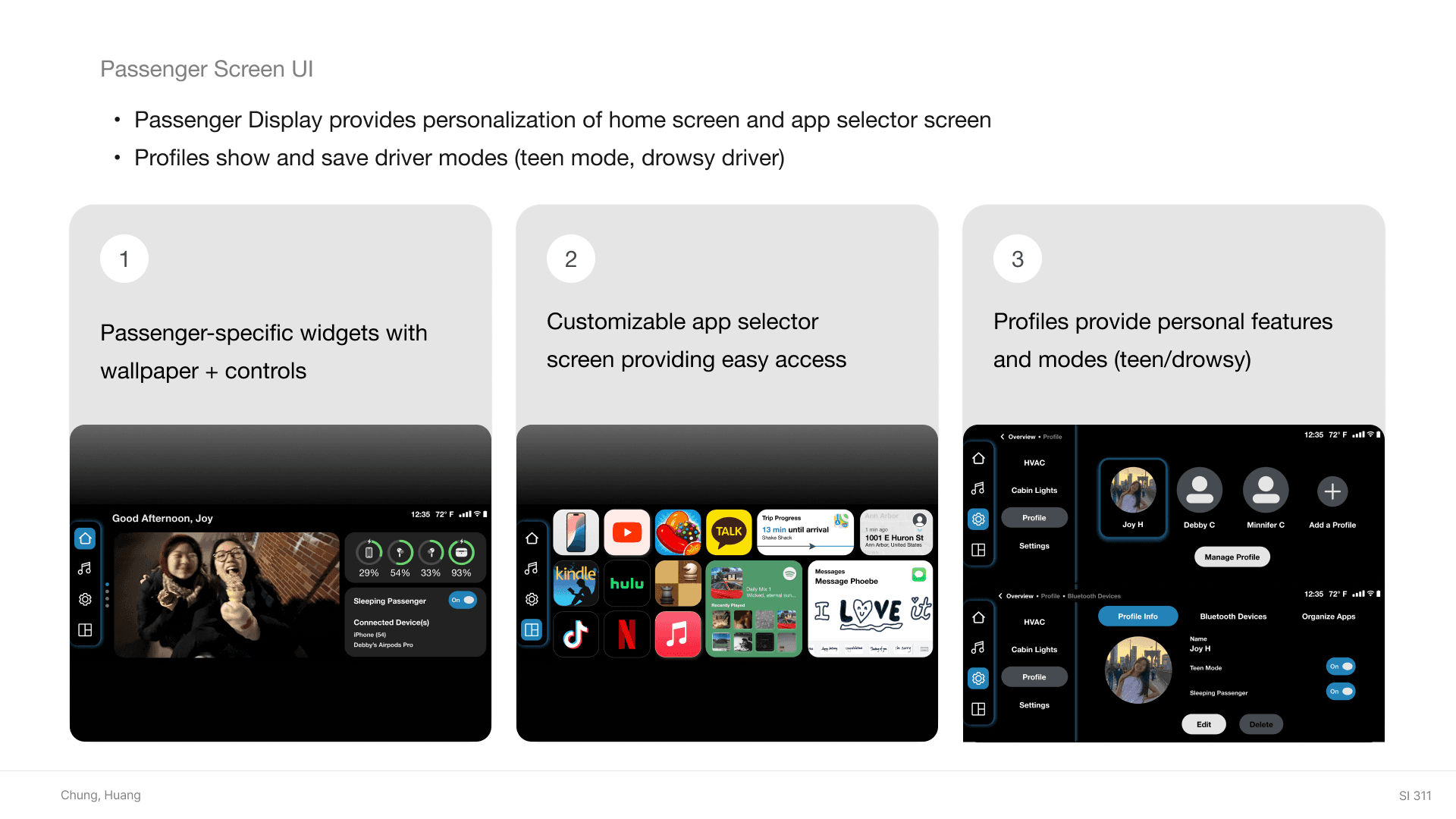
To improve user efficiency, we created user profiles with driving modes (teen, drowsy) to improve the personalization and safety of the experience. Home screen widget and app selector screens also improved familiarity (Jakob's Law of UX) through consistency with common design systems (Apple).
Future potential considerations could include how to create unique Jeep branding rather than Apple interface similarities.
Conclusion
This project was a valuable opportunity to explore a new area of UX that I hadn’t worked in before. Automotive UX is particularly fascinating with its many layers, and the personal aspect feels especially meaningful since driving is a daily experience for many people. Investigating how AI can enhance UX features also encouraged me to dive deeper into competitor research and stay up to date with emerging technological developments.
Overall, it was a great experience to hear from UX professionals from the Stellantis team and think more creatively for future technologies (designing for a 2030 car). The main challenges were interior architecture with the many required features for an automotive, AI implementation for a safer experience, and pushing the existing boundaries for automotive feature capabilities.
Huge thanks to Christine Montalbano and the Stellantis Team for their guidance and support, as well as Jim Rampton (Course Instructor) for continually pushing us to think deeper. Lastly, a big appreciation shoutout for my teammate Debby Chung; It was a great time of bouncing off each other and building onto seemingly crazy ideas to create a creatively challenging design!
Takeaways:
Iterations and Testing are so important. Sometimes intuitive user flow problems are only realized when an outside perspective uses the design.
Staying on track with current technological developments are important in the UX field. Technology is growing ever-faster, and to create better products, we need to understand the current market. The automotive features I learned about were completely new to me, a realization that the world is developing faster than we realize.
Future potential considerations:
Interior Architecture could improve especially in the Car Settings pages.
Implement urgent information on home screen for easy access.
Address important pain points of users (e.g. responding to messages while driving).